Secure Transmission Protocol Simulator
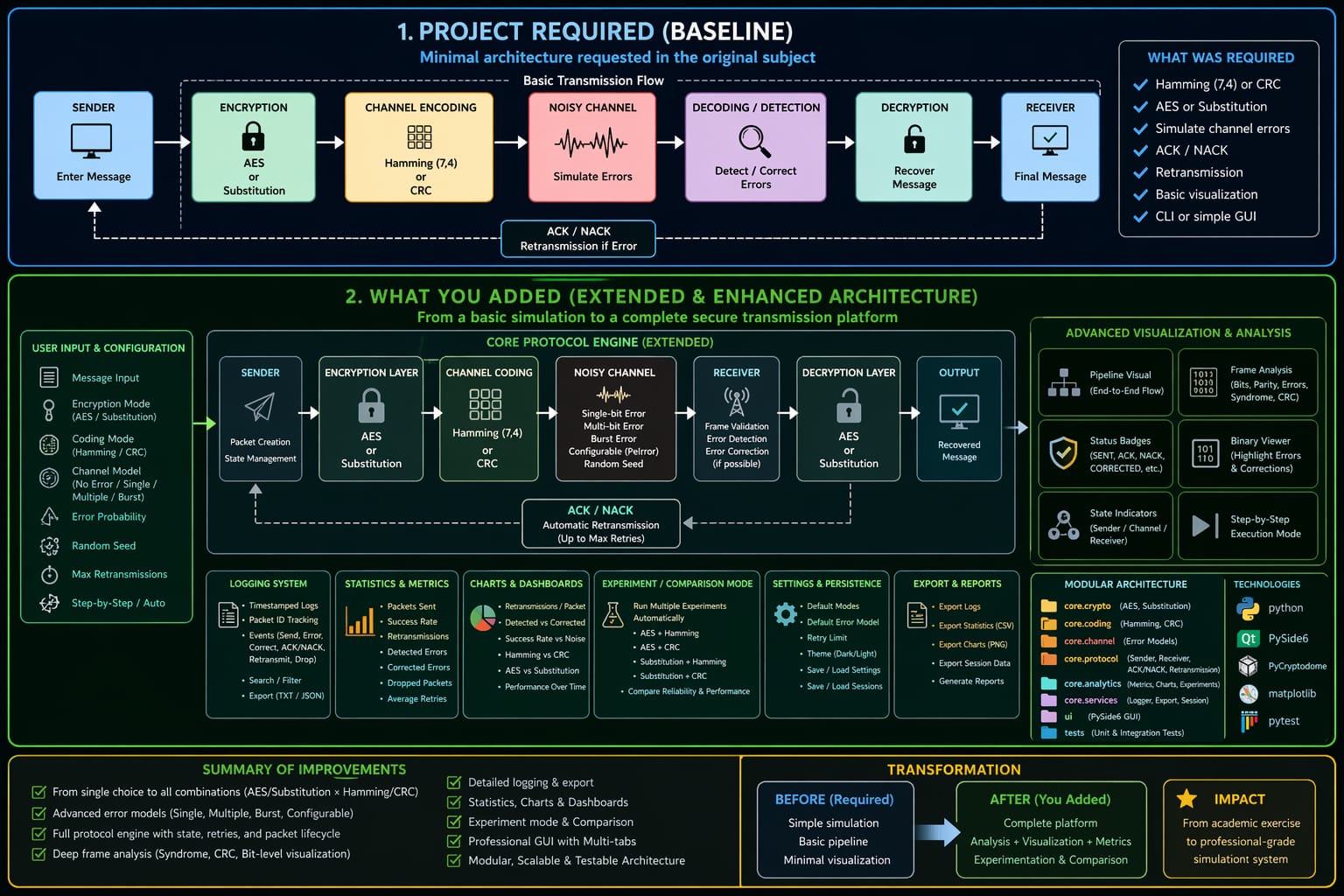
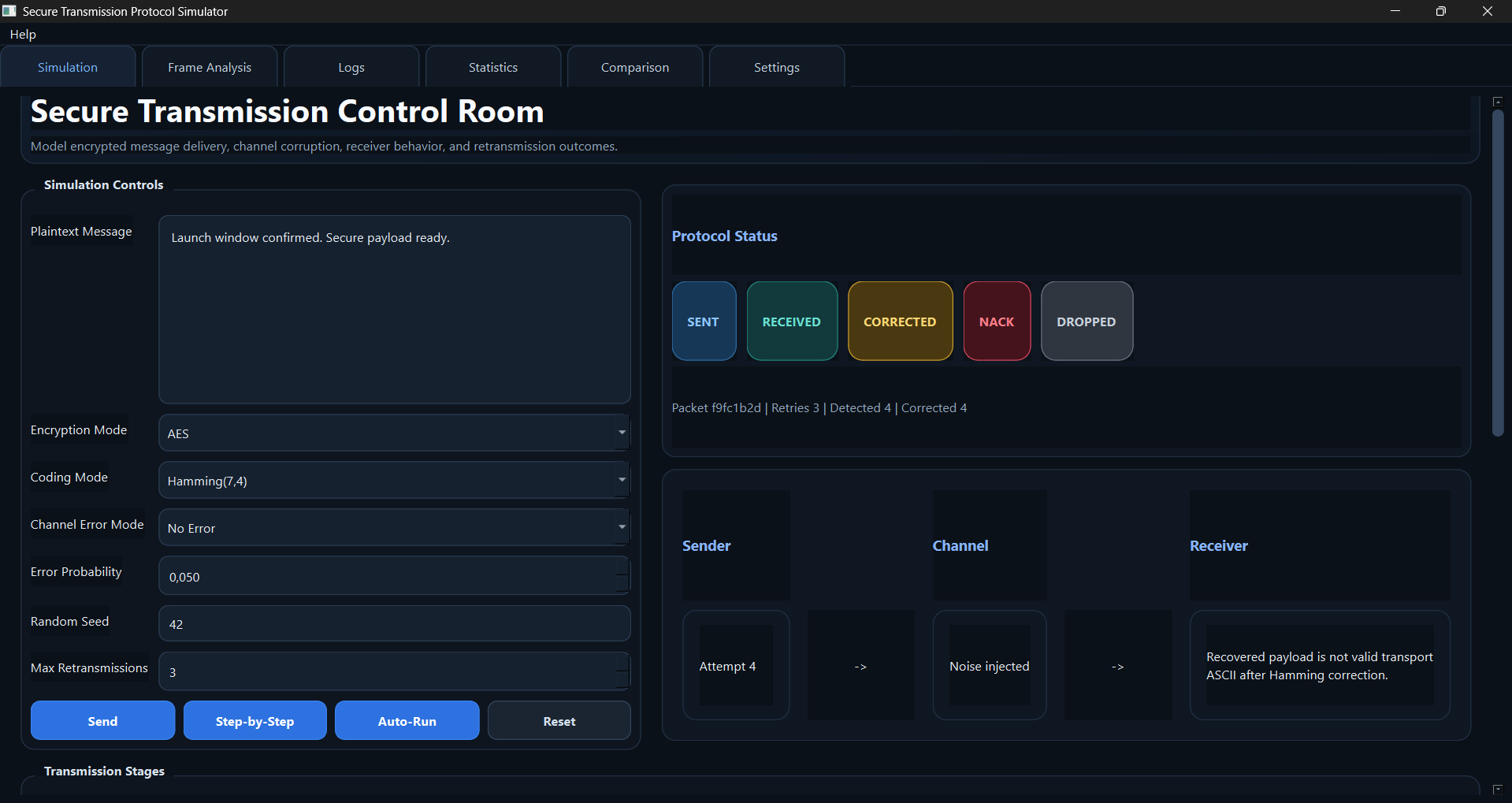
The Secure Transmission Protocol Simulator is a Python/PySide6 desktop application built to make the entire secure-transmission pipeline visible. Instead of demonstrating encryption, error correction and retransmission independently, the application connects them into one inspectable sender → channel → receiver workflow.
1. Architecture
The application is divided into separate layers for cryptography, coding, the channel model, sender/receiver protocol logic, analytics and the desktop UI. That separation makes it possible to test each layer independently while also validating the complete transmission path.
2. Encryption layer
The simulator supports two encryption choices:
- AES-CBC, with 128-, 192- or 256-bit keys;
- a substitution cipher for simpler comparative experiments.
The AES path uses pycryptodome. Encryption happens before the reliability layer, so the payload travelling through the noisy channel is encrypted data rather than plaintext.
This distinction is important: AES does not correct transmission errors. A corrupted ciphertext can fail to decrypt correctly even though the cryptographic algorithm itself is functioning as designed. The reliability mechanisms therefore operate alongside encryption rather than replacing it.
3. Error coding: Hamming(7,4) versus CRC
The application exposes two different reliability strategies.
Hamming(7,4)
Hamming coding adds parity information that lets the receiver identify and correct a single-bit error in the supported model. It demonstrates forward error correction: some corruption can be repaired without asking the sender to retransmit.
CRC
CRC is used for error detection. It lets the receiver identify that a frame changed in transit, but it does not reconstruct the original corrupted bits by itself. When CRC validation fails, the protocol can issue a NACK and trigger retransmission.
Putting both options in the same simulator makes the trade-off visible: one strategy spends redundancy on local correction; the other relies on detection plus retransmission.
4. Noisy-channel model
The channel layer deliberately introduces controlled corruption so the protocol can be tested under repeatable conditions.
The supported error modes are:
| Mode | Behavior |
|---|---|
NONE |
no errors are introduced |
SINGLE |
at most one random bit is flipped per frame |
MULTI |
each bit can be flipped independently using probability p |
BURST |
a contiguous sequence of bits is corrupted |
A configurable random seed makes experiments reproducible. This means a comparison between two coding strategies can use the same channel conditions instead of relying on different random error patterns.
5. Sender, receiver and ACK/NACK logic
The protocol layer models a complete delivery decision:
- The sender encrypts and encodes the frame.
- The channel injects the configured errors.
- The receiver validates or corrects the frame.
- A valid frame produces an ACK.
- A detected invalid frame produces a NACK.
- The retransmission controller retries until the frame succeeds or the retry limit is reached.
This lets the project demonstrate reliability as a stateful protocol behavior rather than a one-line checksum calculation.
6. Frame-by-frame inspection
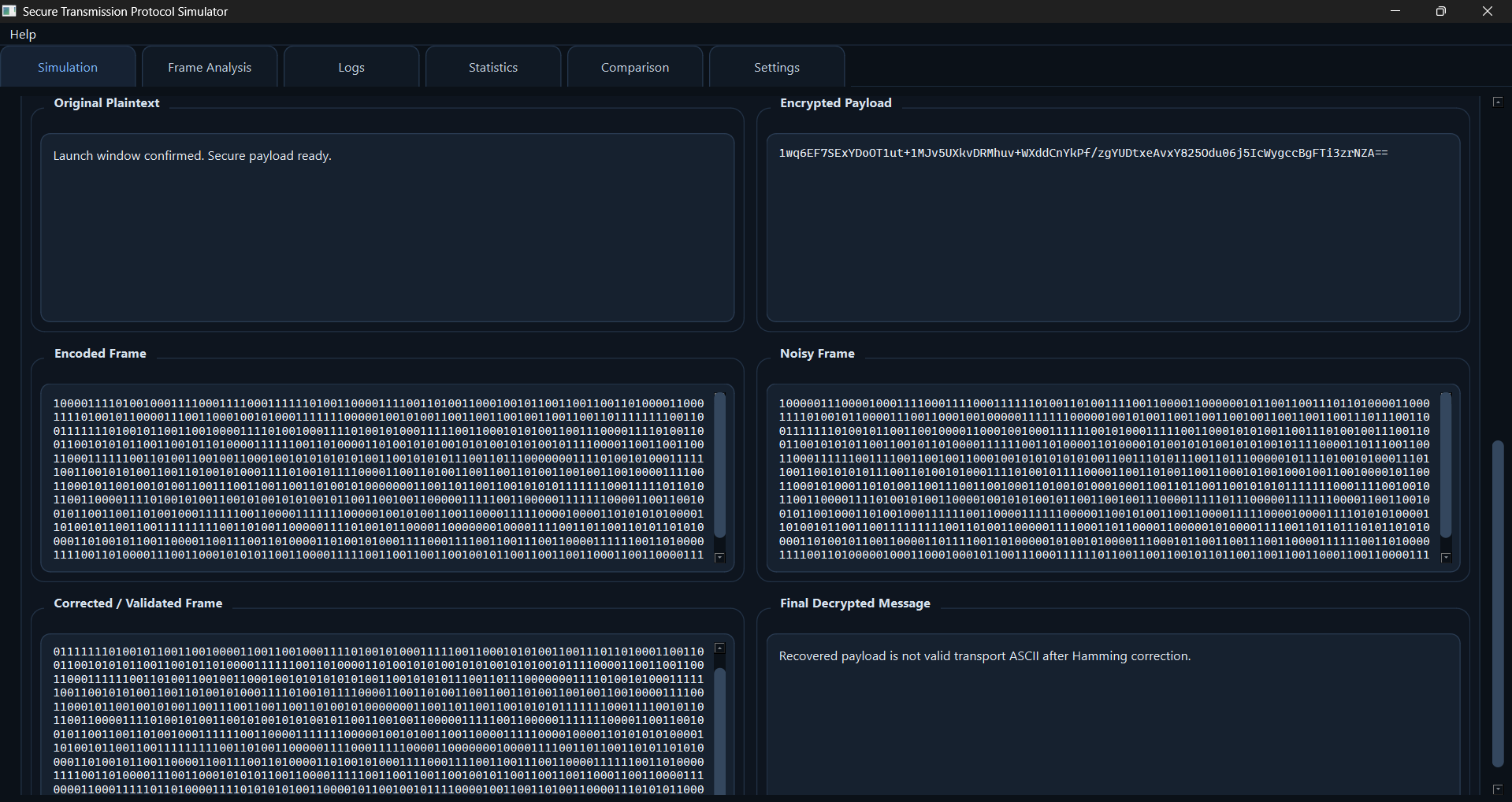
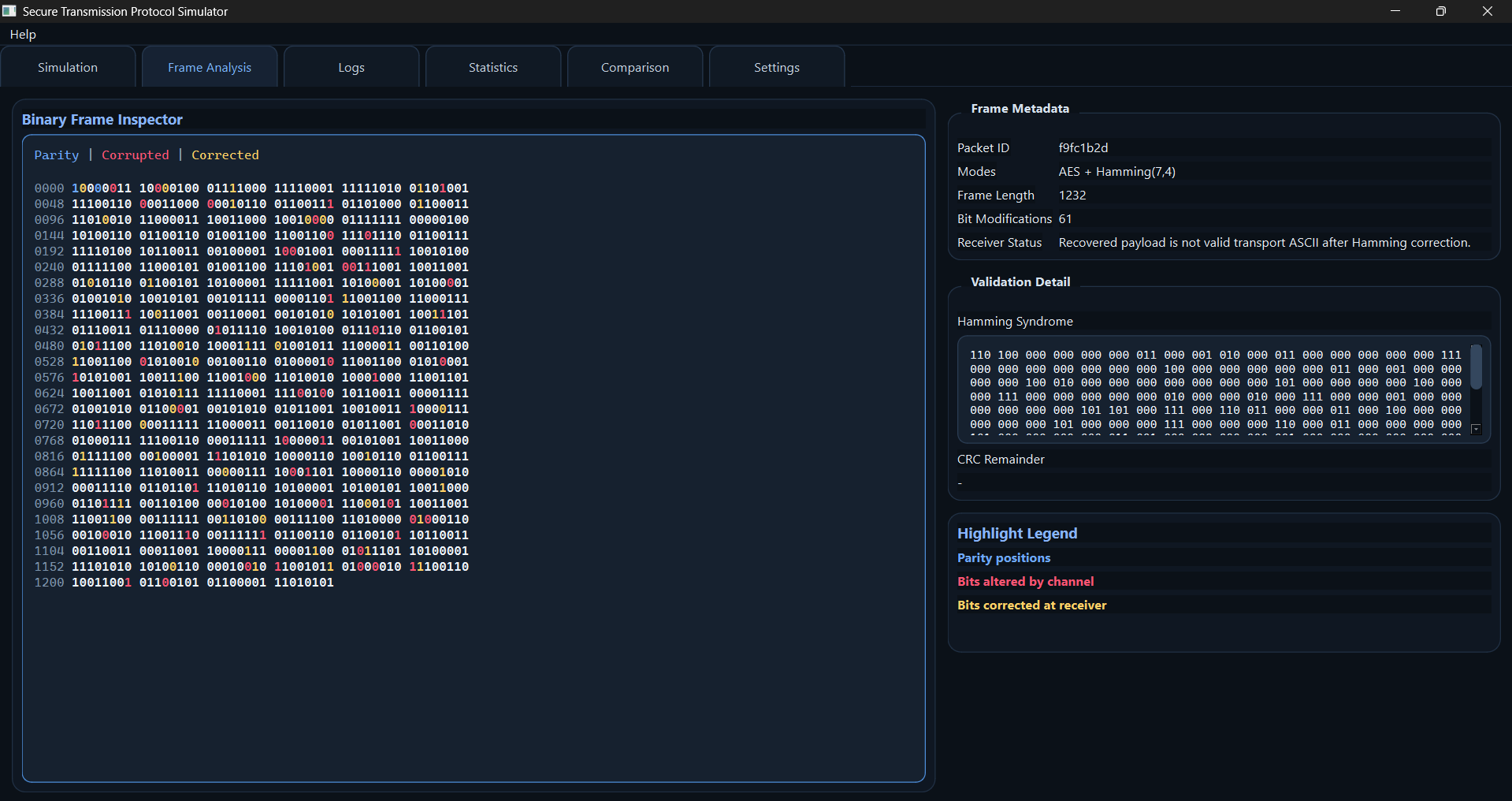
One of the most useful parts of the application is the ability to inspect each transformation in the transmission chain. The Frame Analysis view shows the progression from original plaintext through encrypted and encoded forms, then the noisy/corrected frame and final recovered message.
The binary inspector goes further by highlighting parity positions, channel-modified bits and Hamming-corrected bits.
7. Protocol event logging
The application records a chronological event trail for transmission preparation, sending, channel activity, ACK/NACK decisions, retries and dropped frames.
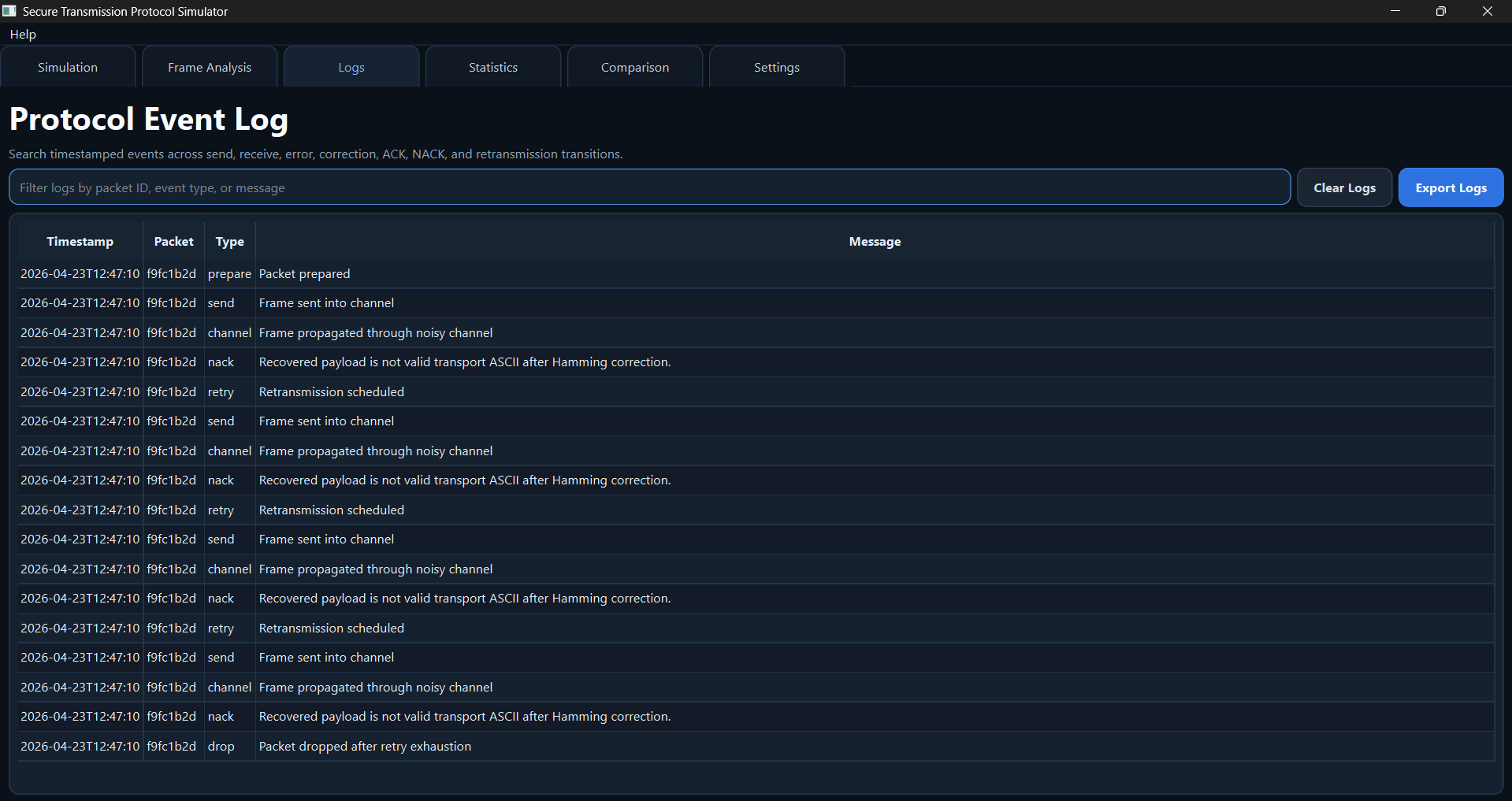
This is useful because a final message status alone does not explain why delivery required multiple attempts or where the corruption occurred.
8. Reliability analytics
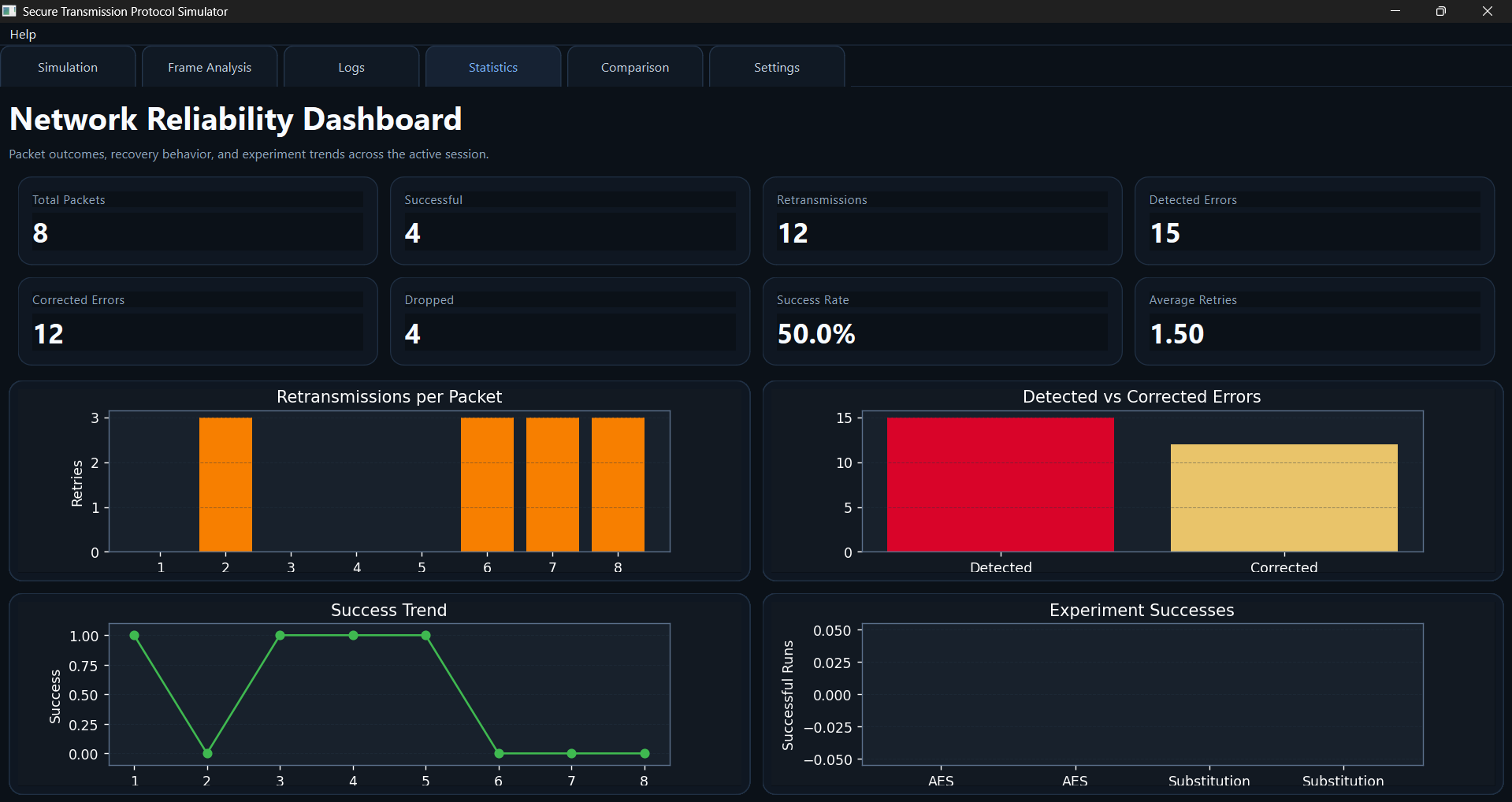
The Statistics view tracks session-level metrics such as:
- bit error rate (BER);
- throughput;
- retransmission count/rate;
- detected versus corrected errors;
- transmission success rate.
9. Experiment comparison mode
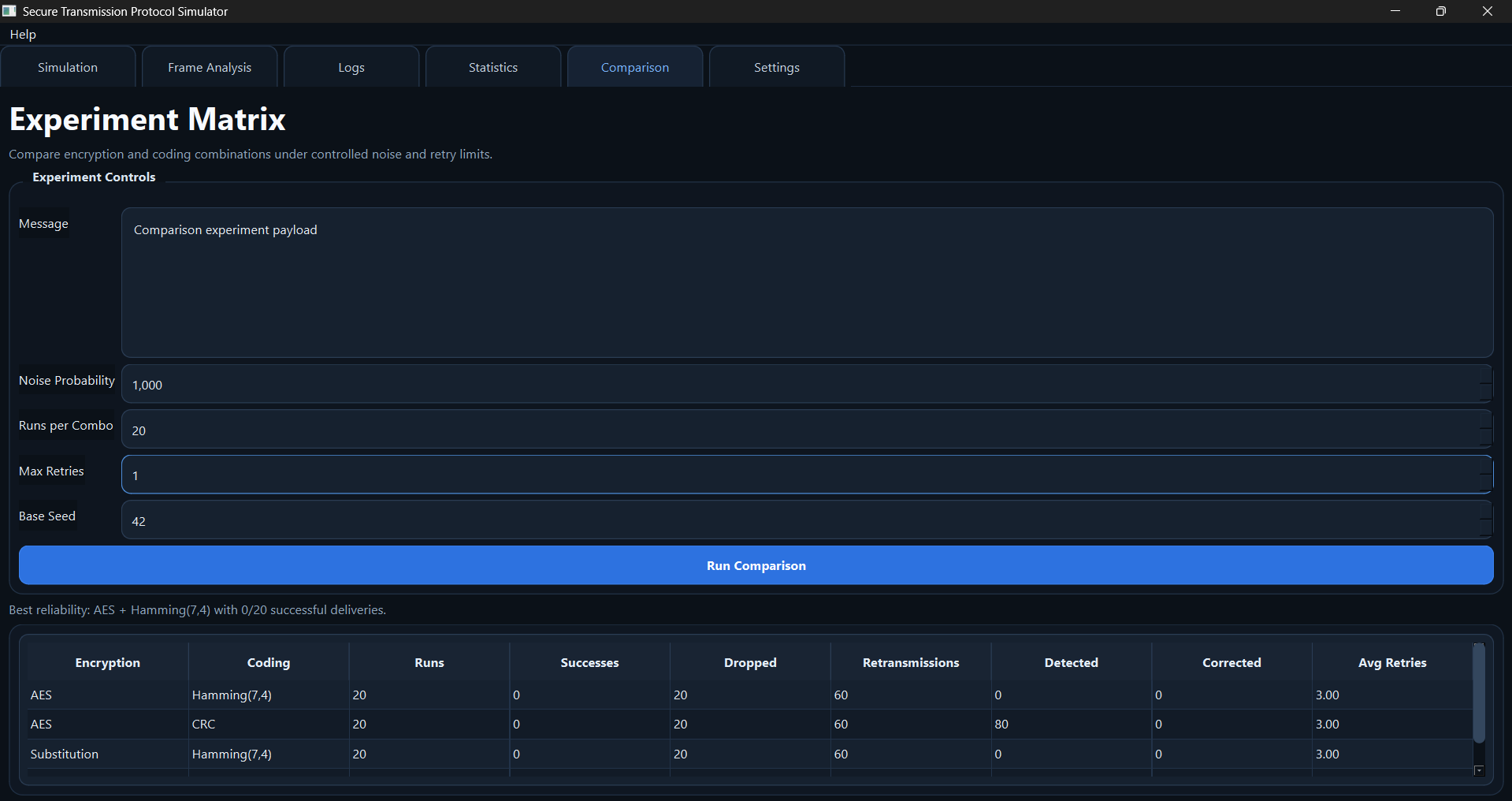
The comparison runner automates experiments across four combinations:
- AES + Hamming;
- AES + CRC;
- Substitution + Hamming;
- Substitution + CRC.
The important part is that the combinations can be tested under the same channel settings. This allows a more meaningful comparison of retransmissions, correction behavior and success rates.
10. Persistent configuration
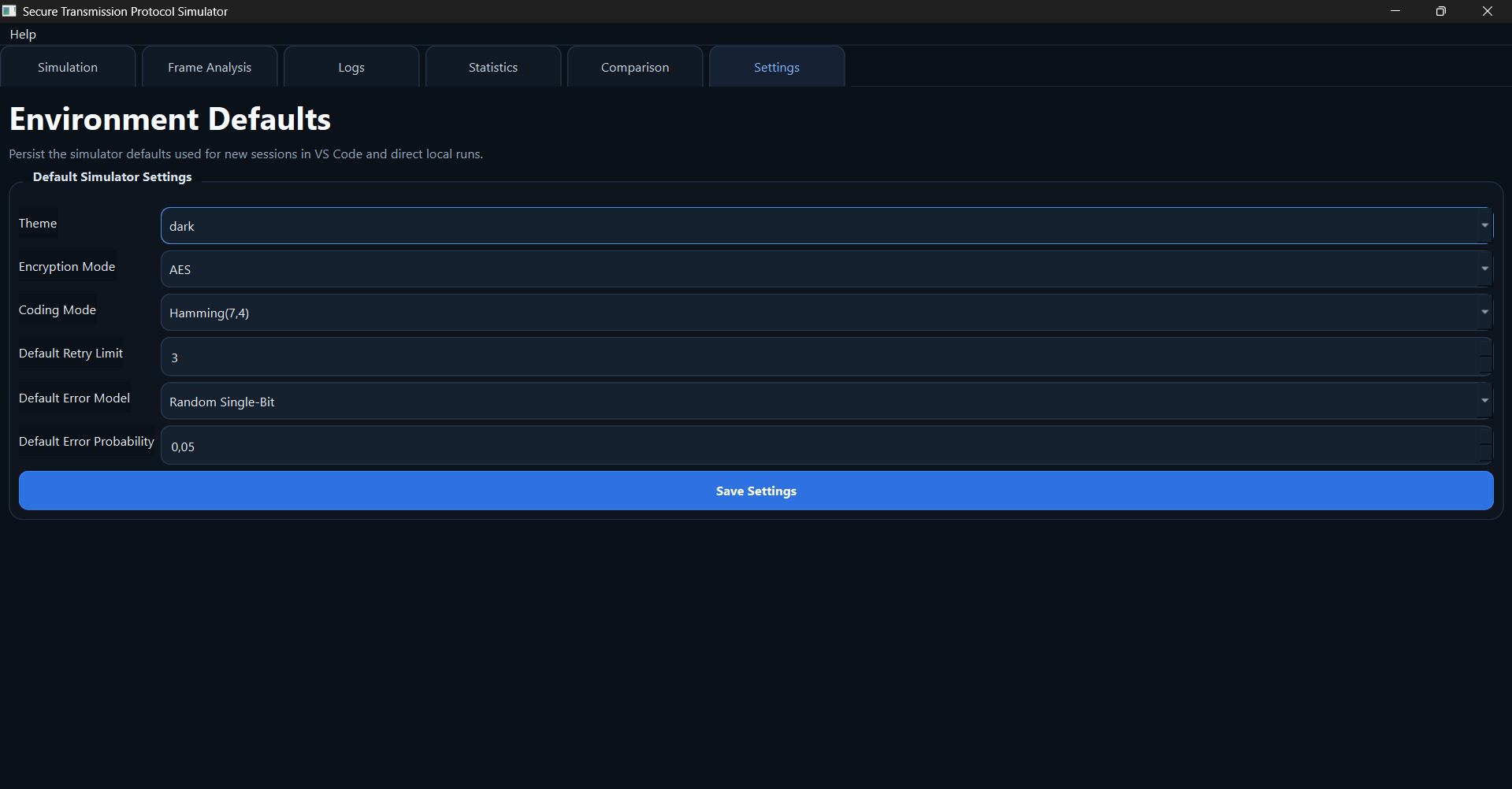
The Settings tab stores defaults such as encryption mode, coding scheme, retry limit, theme and error probability using Qt settings. This prevents repeated manual setup and gives experiments a stable starting configuration.
11. Code organization
The repository separates the major responsibilities:
core/crypto/— AES and substitution encryption;core/coding/— Hamming and CRC;core/channel/— channel and error models;core/protocol/— sender, receiver, ACK/NACK and retransmission;core/analytics/— metrics, charts and experiment runner;ui/— PySide6 tabs, widgets and dialogs;tests/— unit and end-to-end validation.
That structure keeps the GUI from becoming the protocol implementation. The same core logic can be tested without clicking through the interface.
12. Automated testing
The pytest suite covers the critical behaviors documented in the repository:
- AES encrypt/decrypt round trips;
- Hamming encode/decode and single-bit correction;
- CRC generation and verification;
- channel error injection;
- sender/receiver ACK/NACK behavior;
- end-to-end transmission integration.
This matters particularly for a simulator: a visualization can look plausible even when the underlying protocol logic is wrong, so core behavior needs test coverage independent of the UI.
13. What the project demonstrates
The project brings together several topics that are often taught independently:
- symmetric cryptography;
- error detection and correction;
- network/channel simulation;
- retransmission protocol state;
- reproducible experiments;
- desktop application engineering;
- analytics and visualization;
- automated testing.